
FuzeVPN for Windows
Use FuzeVPN with your browser and other Windows apps.
Windows 10 and Windows 11, on x64 or ARM64 PCs. On a PC in S mode or with 32-bit Windows, use the FuzeVPN extension for your browser.
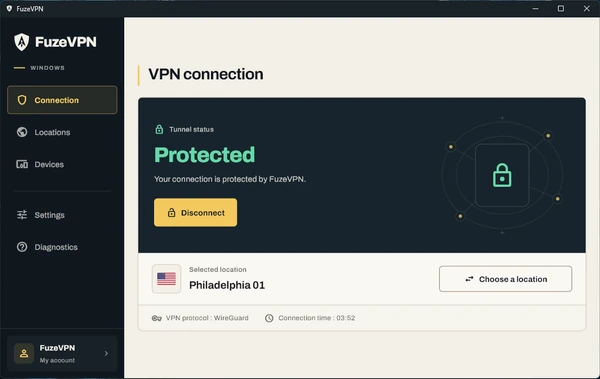
Choose the Windows or Android app, or add FuzeVPN to your browser.
With a configuration file: iPhone · iPad · Mac · Linux
Free to install. To connect, choose your subscription: €1 a month with no commitment, or €10 for 12 months, with a 30-day money-back guarantee. See pricing
Use FuzeVPN with your browser and other Windows apps.
Windows 10 and Windows 11, on x64 or ARM64 PCs. On a PC in S mode or with 32-bit Windows, use the FuzeVPN extension for your browser.
Use FuzeVPN on your Android phone or tablet.
Android 8.0 minimum.
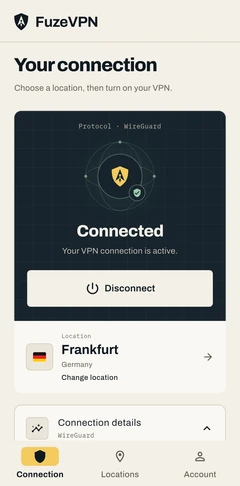
An extension works only in the browser where you install it. For your other apps, use the Windows or Android app, or a WireGuard or OpenVPN configuration file on Mac or Linux, included in the same subscription.
Chrome Web Store
Microsoft Edge Add-ons
Firefox Add-ons
Chrome Web Store
On Mac, Linux, Chromebook, iPhone or iPad? On iPhone, iPad and Mac, create a WireGuard or OpenVPN configuration file in your customer area and import it into the official WireGuard or OpenVPN Connect app: the whole device goes through FuzeVPN. On Linux, create the same file in your customer area and import it into the network settings or with the nmcli command, depending on your system. On Mac and Linux, the Chrome, Edge, Firefox or Brave extension also protects your browsing. On Chromebook, install the Android app: it protects the whole device; the Chrome extension protects your browsing. FuzeVPN apps for iPhone / iPad and Mac, and a Safari extension, are planned for early 2027, included in your subscription at no extra cost. iPhone, iPad and Mac · WireGuard and OpenVPN files
The same FuzeVPN account works with both. What changes is what gets protected.
| Platform | What is protected |
|---|---|
| Windows | The whole device: browsers and other apps |
| Android | The whole device: browsers and other apps |
| iPhone, iPad, Mac, Linux and routers (configuration file) | The whole device: browsers and other apps |
| Chrome | Browser only |
| Edge | Browser only |
| Firefox | Browser only |
| Brave | Browser only |
The Windows and Android apps and FuzeVPN extensions are available in the website’s 70 main languages. Choose your language in their settings: on Windows, under “Settings → General → Language”; on Android, under “Account → Language”; in the extension, under “Settings → Language”. The list below shows the website’s languages; support also replies in your language within 72 hours.
Yes, dark mode is available in all FuzeVPN apps and extensions. Choose the dark theme to adapt the interface to your preference: on Windows, under “Settings → General → Appearance”; on Android, under “Account → Appearance”; in the extension, under “Settings → Theme”.